
SaifBrand SEO & Speed — Documentation
After activating the plugin, go to the new SaifBrand SEO & Speed menu item in your dashboard sidebar. It has 4 tabs — here's exactly what every setting on each one does.
1.Image Optimization
The tab you land on first. This is where new uploads get converted to WebP automatically, and where you bulk-fix everything already sitting in your Media Library.
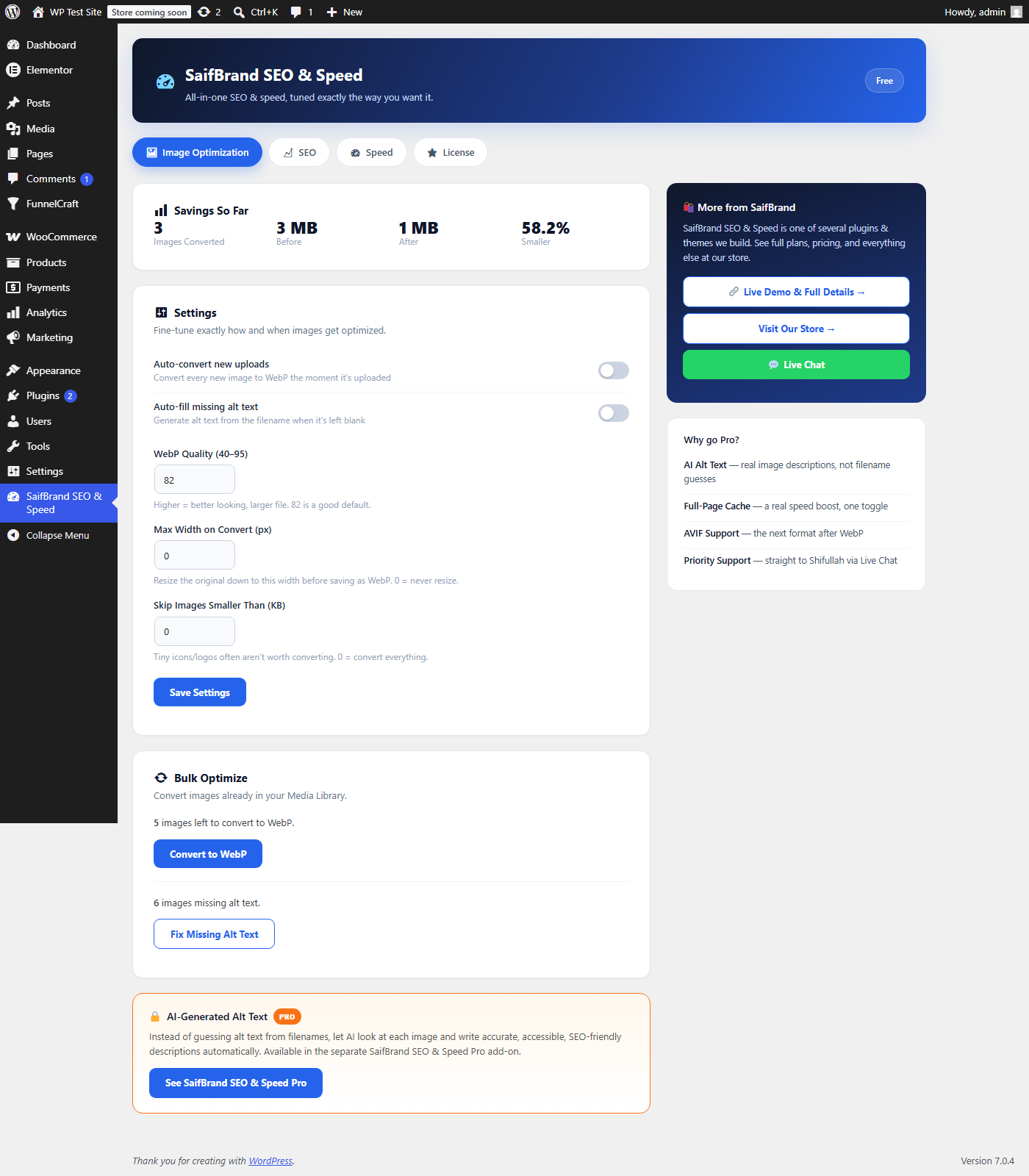
- Auto-convert new uploadsWhen on, every new JPEG/PNG you upload — including every size WordPress generates (thumbnail, medium, large) — gets converted to WebP the moment it's uploaded. Turn this off if you want to convert images manually only.
- Auto-fill missing alt textIf an image has no alt text, this fills one in from the filename (e.g. "blue-summer-dress.jpg" → "blue summer dress"). Not as good as a real description, but far better than leaving it empty for accessibility and SEO.
- WebP Quality (40–95)Higher means a better-looking image but a larger file. 82 is the default and works well for almost every site — only lower it if you're chasing every last KB, or raise it if you see visible quality loss on photography-heavy pages.
- Max Width on Convert (px)If set above 0, any image wider than this gets resized down before being saved as WebP. Useful if your theme never actually displays images wider than, say, 1600px, and you don't want to keep serving huge originals.
- Skip Images Smaller Than (KB)Tiny icons and logos often aren't worth the CPU time to convert — set a threshold here and anything smaller is left alone. 0 means convert everything, regardless of size.
- Convert to WebP (Bulk Optimize)Runs through your existing Media Library in small batches (5 images at a time, automatically continuing) and converts every JPEG/PNG that hasn't been done yet. Safe to leave the page — it picks up where it left off next time you visit.
- Fix Missing Alt Text (Bulk Optimize)Same idea, but for alt text — fills in every image in your Media Library that's currently missing one.
2.SEO
Controls how titles, meta descriptions, and the sitemap are generated across the whole site.
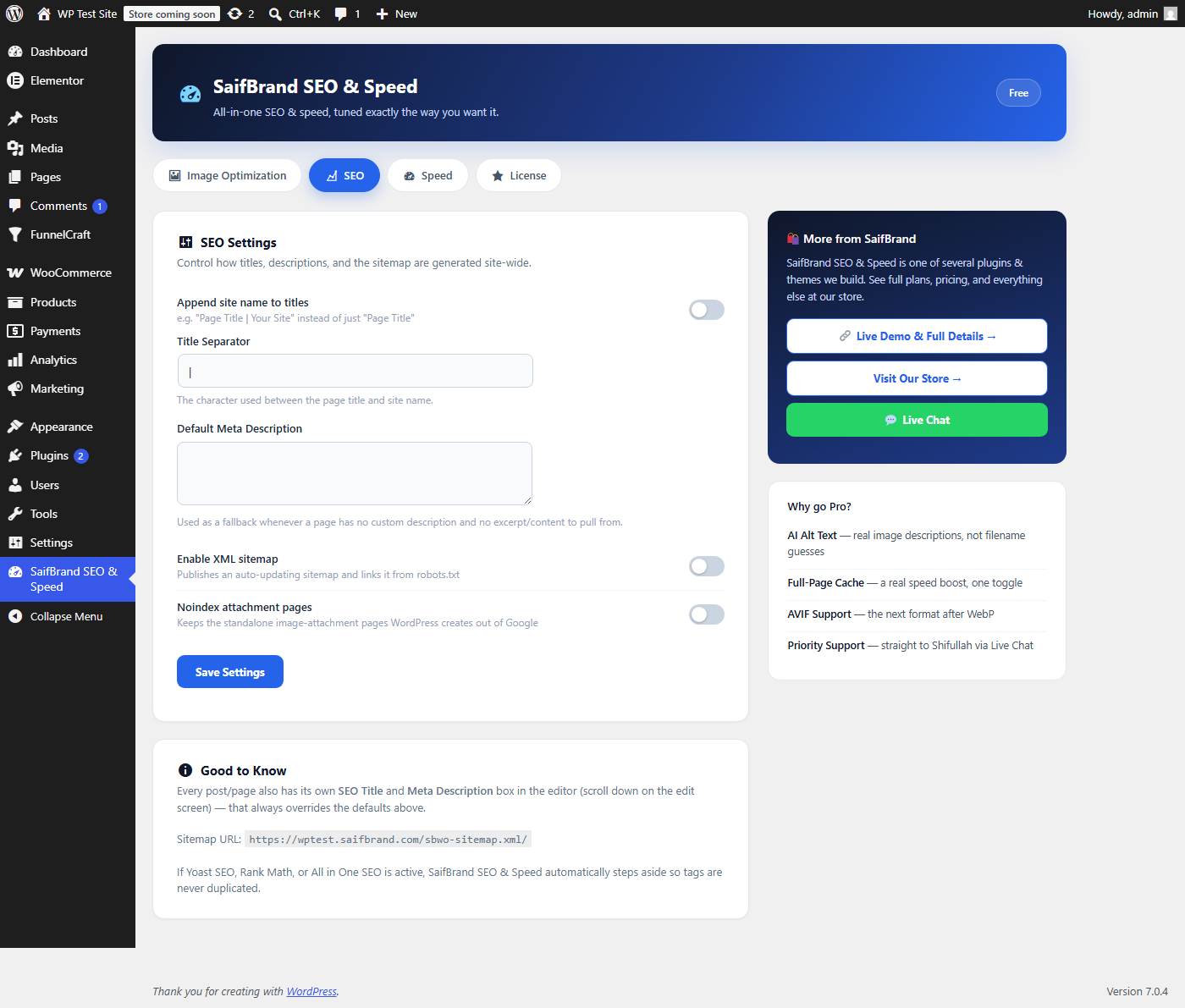
- Append site name to titlesWhen on, every page's browser-tab title becomes "Page Title | Your Site Name" instead of just "Page Title". Most sites want this on for brand recognition in search results.
- Title SeparatorThe character used between the page title and site name — defaults to "|", but you can use "–", "•", or anything else you prefer.
- Default Meta DescriptionThe fallback text search engines show when a specific page has no custom description and no excerpt/content to pull one from automatically. Worth writing a real one here — it's your safety net.
- Enable XML sitemapPublishes an auto-updating sitemap (shown as a URL further down this tab) and links it from your robots.txt automatically. Turn this off only if another plugin (like Yoast or Rank Math) is already generating one — otherwise leave it on.
- Noindex attachment pagesWordPress automatically creates a standalone page for every image in your Media Library. Most sites don't want Google indexing these — this setting keeps them out of search results without deleting anything.
3.Speed
Two small but genuinely effective performance switches.
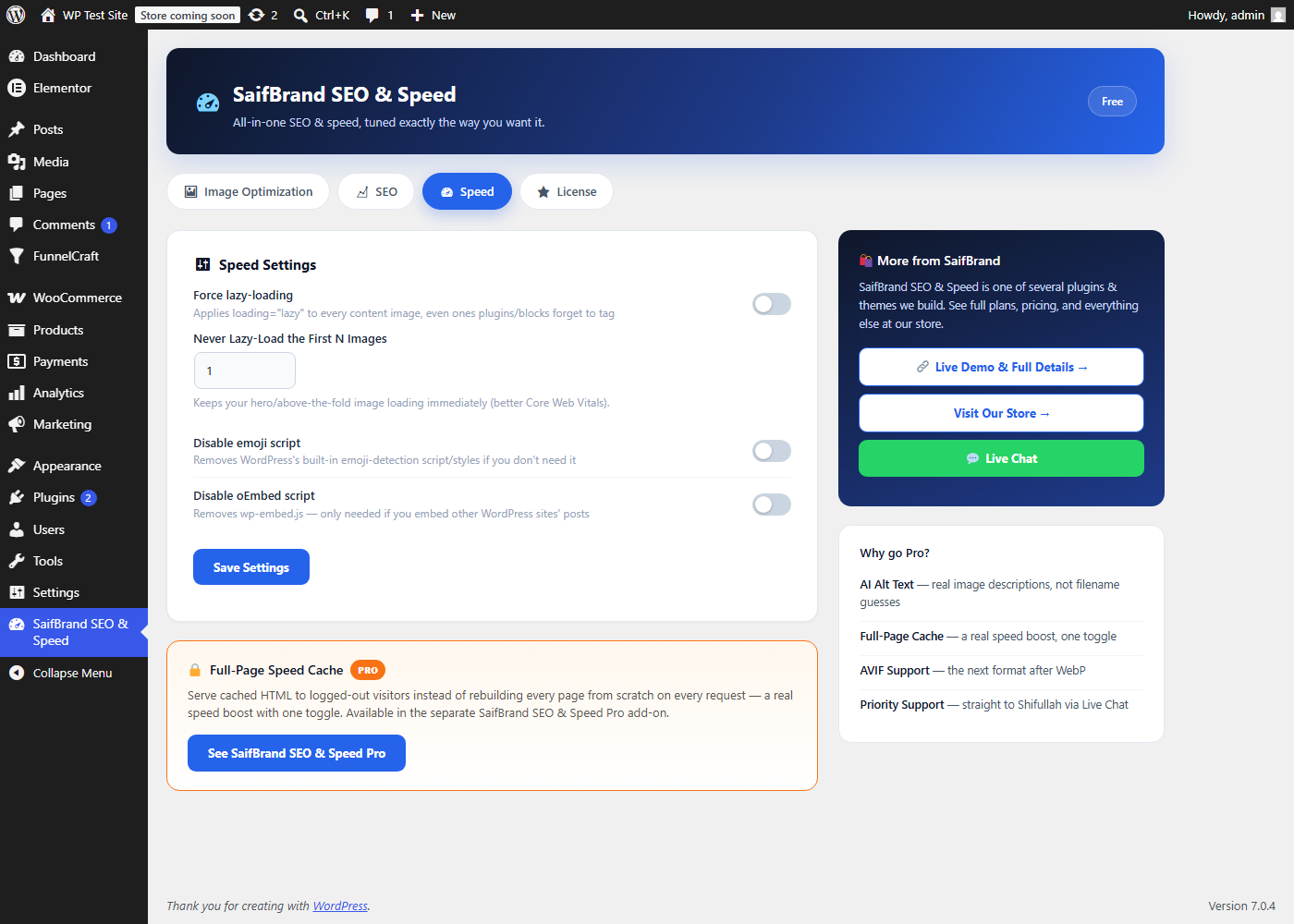
- Force lazy-loadingApplies loading="lazy" to every content image — including ones your theme or another plugin forgot to tag. This alone can meaningfully improve a page's initial load time on image-heavy pages.
- Never Lazy-Load the First N ImagesYour hero/above-the-fold image shouldn't be lazy-loaded — it needs to appear immediately for a good Core Web Vitals score. This setting excludes the first N images on the page from the lazy-load rule; 1 is a safe default for most layouts.
- Disable emoji scriptRemoves WordPress's built-in emoji-detection script and stylesheet if you don't rely on it — a small but free request-count reduction on every page load.
- Disable oEmbed scriptRemoves wp-embed.js. Only turn this off if you actually embed other WordPress sites' posts on your pages; most sites don't and can safely disable it.
4.A note on conflicts
If Yoast SEO, Rank Math, or All in One SEO is already active on your site, SaifBrand SEO & Speed automatically detects it and steps aside from all SEO output — titles, meta tags, and the sitemap — so nothing ever gets duplicated. The image optimization and speed features keep working regardless, since those aren't things the other plugins handle anyway.
Ask Directly, Get a Real Answer
If a setting still isn't doing what you expect, don't guess — chat with me directly and I'll walk you through it.