
FunnelCraft — Documentation
WooCommerce must already be active. Here's exactly what happens when you create a funnel, what each setting does, and how to bring funnels over from CartFlows.
1.Creating a funnel
Go to FunnelCraft → Add New Funnel and give it a name. The moment you save it, FunnelCraft automatically creates and publishes two pages: a Landing step (with the Product Buy Box and Checkout Form already on it, live) and a Thank You step. There's no separate "add a checkout page" step — it's already working before you touch anything else.
2.The Funnel Steps & Products box
On the funnel's edit screen, the Funnel Steps table lists both auto-created pages with Edit / Edit with Elementor / View links. Below it, the Products box is where you attach what this funnel actually sells.
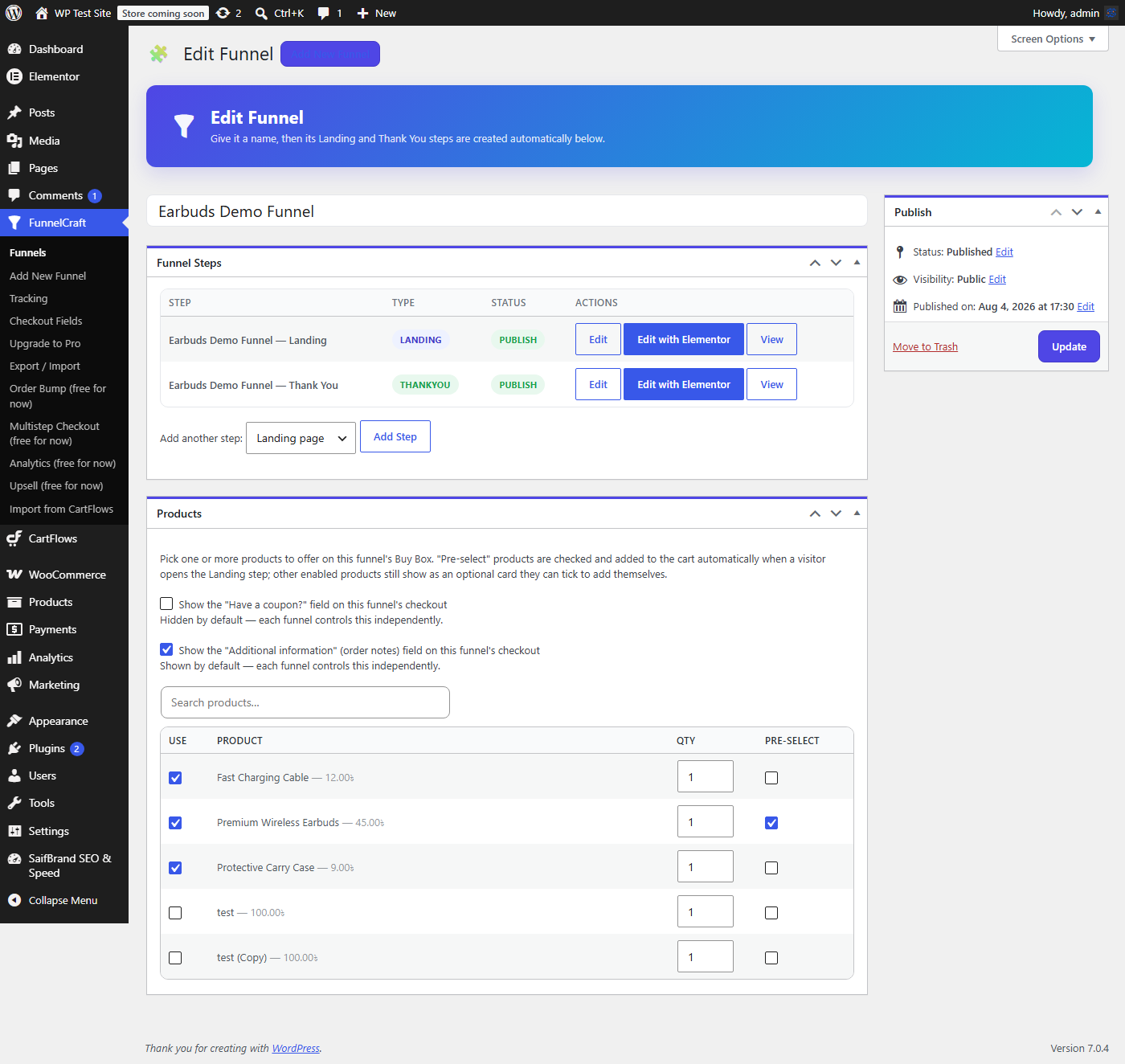
- Use (checkbox)Ticks a product into this funnel's Buy Box at all. Untick to remove a product from the funnel entirely.
- QtyThe starting quantity for that product when it's added to the cart. Shoppers can still adjust it with the +/− stepper on the live page.
- Pre-selectThe product(s) marked Pre-select are checked and added to the shopper's cart automatically the moment they open the Landing step — no click needed. Other enabled-but-not-pre-selected products show as optional add-on cards the shopper can tick themselves.
- Show the "Have a coupon?" fieldHidden by default. Each funnel controls this independently, so you can allow discount codes on one funnel and block them on another.
- Show the "Additional information" fieldThe order-notes textarea on checkout. Shown by default; turn off per-funnel if you don't want shoppers leaving notes on a specific funnel.
3.What the shopper actually sees
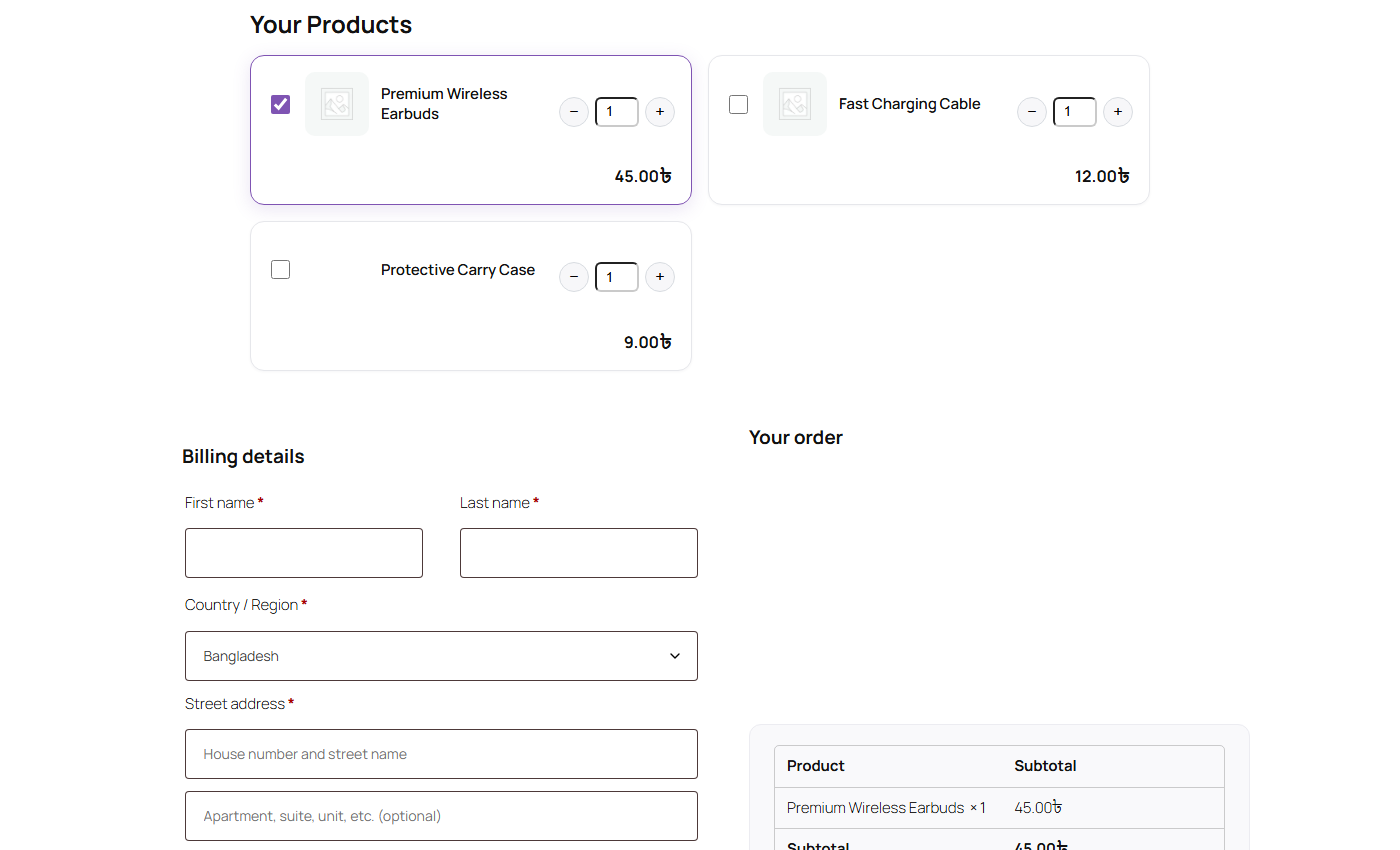
The Buy Box and the WooCommerce checkout form render on the same page — no separate "add to cart" step. This is a real, working checkout from an actual test funnel with 3 attached products (one pre-selected, one available as an optional add-on).
4.Import from CartFlows
If CartFlows is active on the same site, a new FunnelCraft → Import from CartFlows menu item appears automatically. It lists every CartFlows funnel it finds — tick the ones you want, click Import, and FunnelCraft creates a matching draft funnel for each one, with the same WooCommerce products attached (the first attached product becomes the pre-selected one).
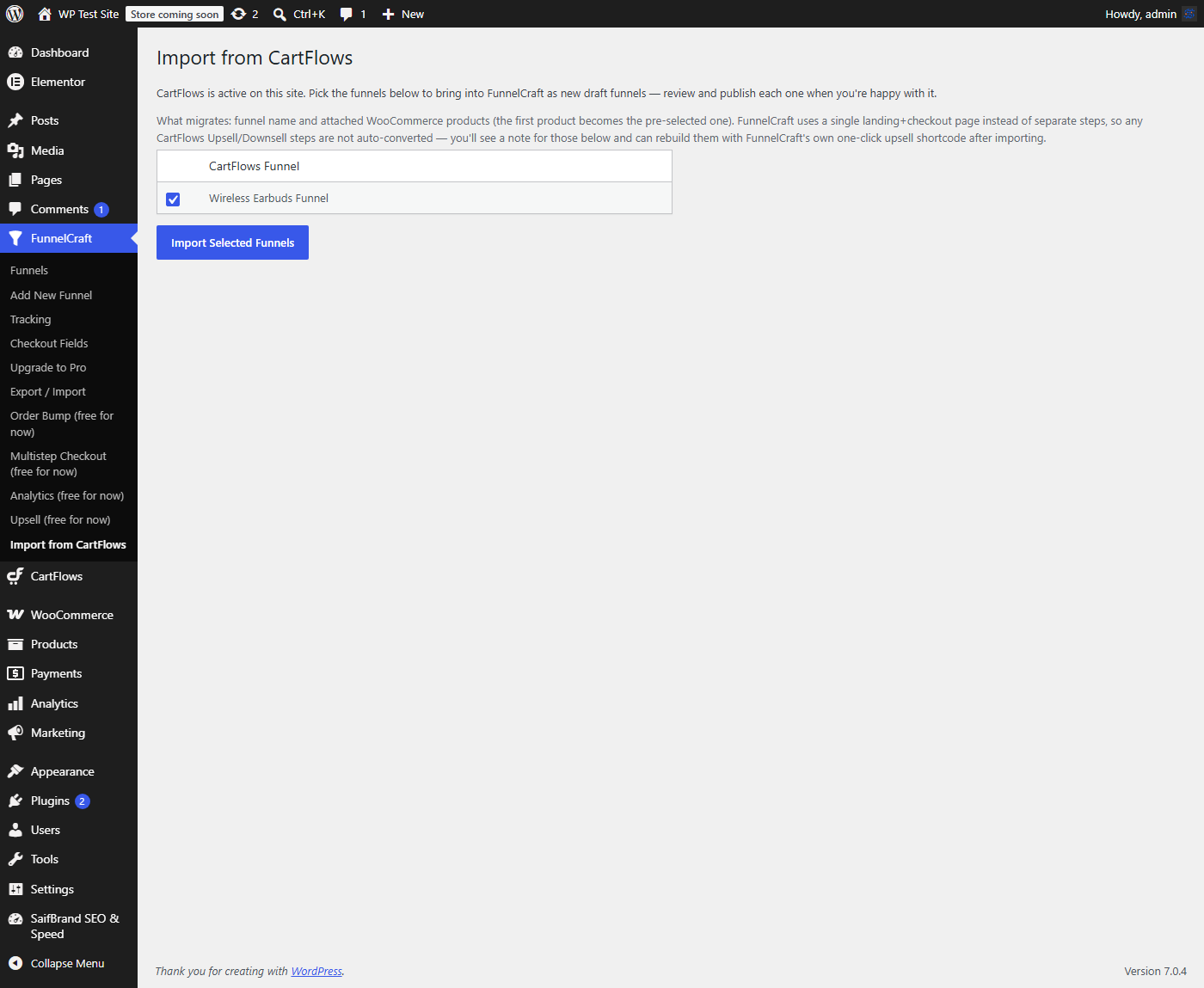
- What migratesThe funnel's name and its attached WooCommerce products. That's it — deliberately kept simple and reliable rather than trying to replicate every CartFlows setting.
- What doesn't migrateFunnelCraft uses one landing+checkout page instead of CartFlows' separate step pages, so CartFlows Upsell/Downsell steps have no direct equivalent to auto-convert into. The import screen tells you exactly which funnels had steps like that skipped, so you can rebuild them with FunnelCraft's own one-click upsell afterward instead.
- Is CartFlows changed at all?No — this only reads CartFlows' funnels and products to build new FunnelCraft funnels. Your CartFlows install and its data are never modified or deleted.
5.Order bumps, multistep, instant checkout, analytics & upsells
These are all unlocked and free during launch — no license key needed. Order Bump adds a one-click add-on offer directly on the checkout page. Multistep Checkout switches the classic checkout into a progressive step-by-step layout. Instant Checkout renders a distraction-free canvas page (no theme header/footer) for a focused conversion flow. Analytics tracks views and conversions per funnel. Upsell renders a post-purchase one-click offer via the [funnelcraft_upsell] shortcode on your Thank You page — it charges the same card again with no re-entry, but only works with a gateway that supports saved-card tokenization (Stripe, WooCommerce Payments, Square, Authorize.net). It won't render at all on an order paid by Cash on Delivery or a non-tokenizing gateway — that's expected, not a bug.
Ask Directly, Get a Real Answer
If a setting still isn't doing what you expect, don't guess — chat with me directly and I'll walk you through it.